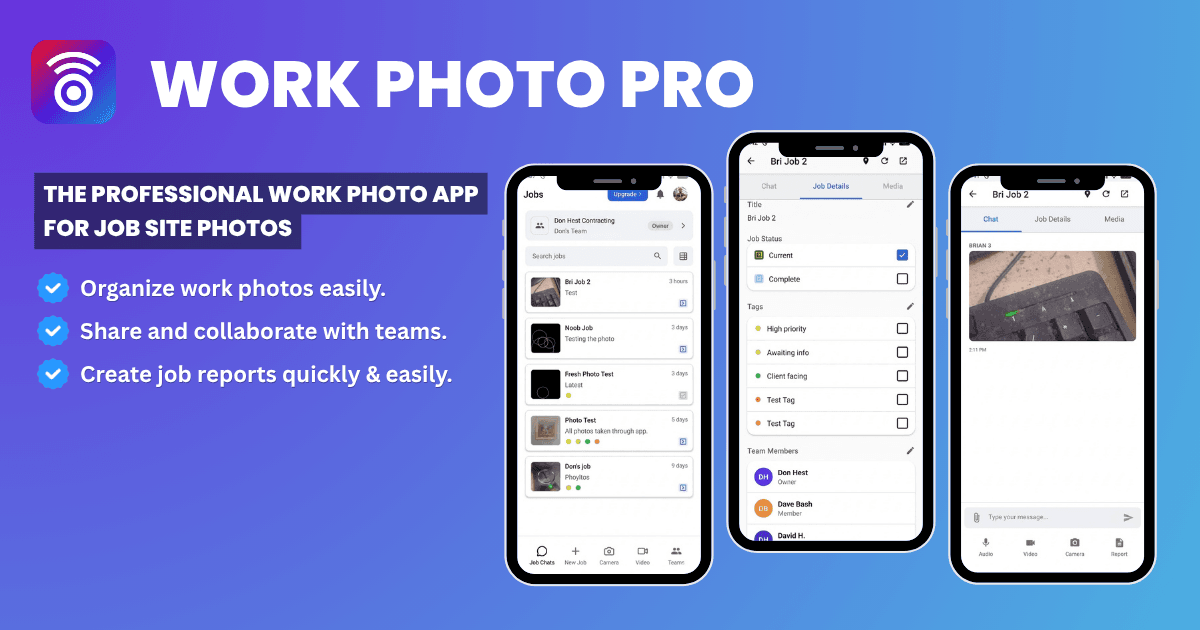
Getting Started with Work Photo Pro
By Work Photo Pro Team • Published: Apr 03, 2025 • 2 min read
Download Work Photo Pro
Work Photo Pro is available on both iOS and Android devices. Visit our download page to get started:
- iOS: Download from the App Store
- Android: Download from Google Play Store
Want to learn more about our features? Check out our features page or contact support if you have questions.
Create Your Account
- Open the Work Photo Pro app on your device
- Tap "Sign Up" to create a new account
- Enter your email address and create a password
- Verify your email address
Set Up Your Profile
After creating your account, you can set up your profile:
- Add your name and profile photo
- Enter your company information
- Configure your notification preferences
Start Adding Photos
Once your account is set up, you're ready to start using Work Photo Pro:
- Tap the camera icon to capture photos
- Or import existing photos from your device
- Organize photos into jobs and projects
- Share with your team members
Need Help?
If you have any questions or need assistance, please contact our support team at webphotopros@gmail.com.
References
- SCORE — Technology Tools Every Small Business Should Have — SCORE mentors on choosing the right mobile and productivity tools for field service and small businesses.
- U.S. Small Business Administration — Manage Your Business — Official SBA guidance on tools, recordkeeping, and workflows for managing a small business effectively.
- NAHB — Technology for Contractors — National Association of Home Builders resources on mobile apps and technology adoption for contractors and tradespeople.
Download Work Photo Pro Now
Start organizing your work photos today. Join thousands of field service professionals who trust Work Photo Pro to keep their job site documentation organized and accessible.
Get Premium Access for 20 Team Members FREE for a Limited Time Only


Get started free. No credit card required.